
Stop screenshotting things you'll never find again. Just save it for later.
Share any TikTok, Reel, Short, Reddit thread or article — it lands in your jar, filed automatically, glowing softly until you actually have time.

5 saves free · no account, no card · now on iPhone & web
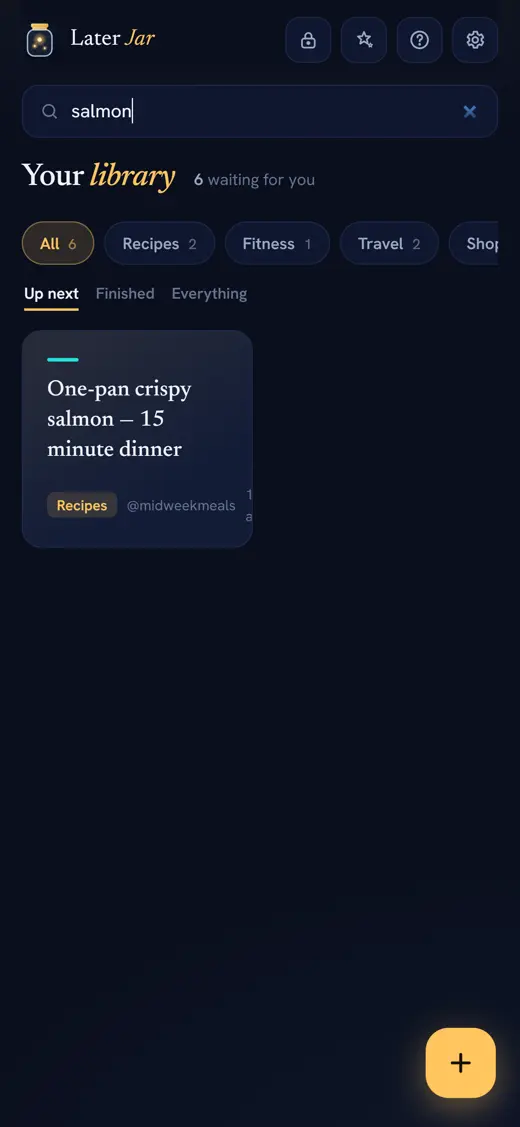
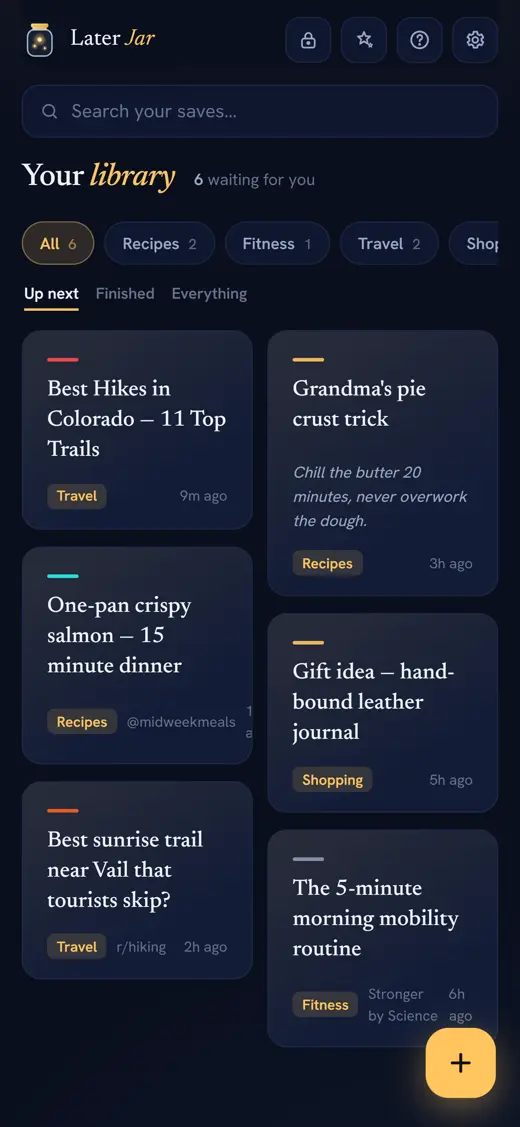
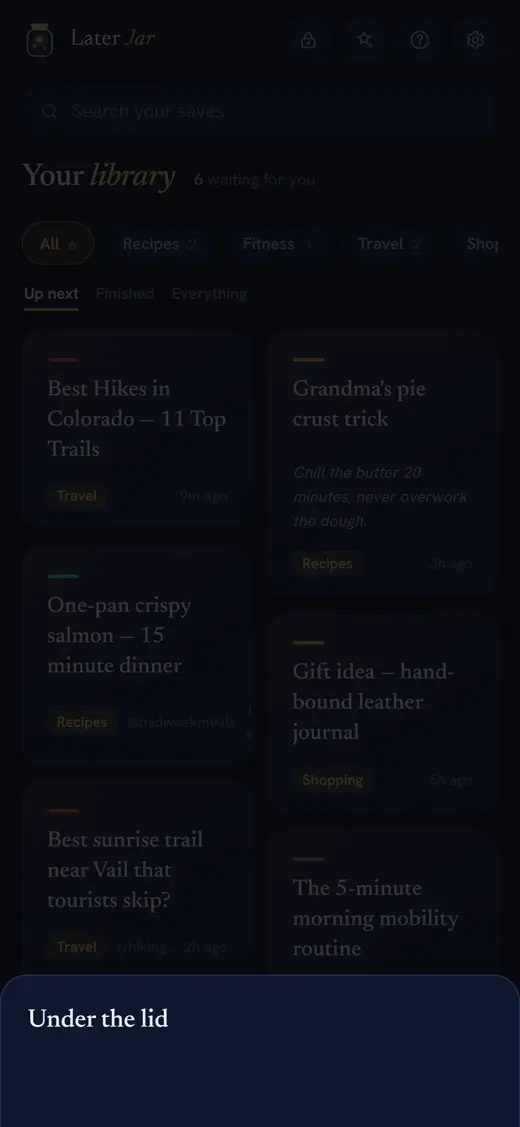
The real app — not a mockup. Every save filed, glowing, ready.
Your jar, the moment you open it.
This is the app, not a mockup mood — try the chips.
Three taps between "ooh"
and "on the list."
Share it
In TikTok, Instagram, YouTube, Reddit or Safari — tap Share → Later Jar. Or just paste a link. That's the whole job.
It files itself
Title, thumbnail and author are fetched automatically, and it drops into the right category — Recipes, Fitness, Travel, Tech, Funny and more. Pro upgrades the filing to AI.
Come back to the glow
Unwatched saves keep a little firefly glow until you open them. YouTube plays right inside; TikToks and Reels open exactly where they live. Viewed items dim and file themselves away.
On a laptop? Keep the jar
one click away.
No extension, no store, no permissions. Drag this little button to your bookmarks bar and whatever page you are on drops straight into the jar — in Chrome, Edge, Safari, Firefox and Brave alike.
Show your bookmarks bar
If it is hidden, press Ctrl+Shift+B on Windows or ⌘+Shift+B on a Mac. In Safari it is View → Show Favourites Bar.
Drag the button up
Drag Save to Later Jar onto the bar. That is the entire install — nothing to approve, nothing watching your browsing.
Click it on anything
On any page worth keeping, give it a click. It lands in your library with its title, thumbnail and category already sorted.
Built for the way saving
actually happens.
Most read-it-later apps were built for long articles. Your saves are TikToks, Reels, threads, recipes and articles — so that's what we built for.
Save from anywhere
Share sheet on iPhone, paste on the web, screenshots by Ctrl+V, clipboard detection when you return. Reddit, YouTube, TikTok, Instagram, X and any website.
It files itself
Every save lands in the right category automatically — smart filing on Free, AI-powered filing on Pro. No folders to make, no tags to remember.
Reads your screenshots
Import the screenshots you already take — we read the text on-device, pull out any link, and file the rest as searchable saves. The camera-roll graveyard becomes a library.
Video-first library
Thumbnails, platform badges, and YouTube playing inline. TikToks and Reels deep-link straight back to where they play best.
Sealed, under the lid
Seal any save behind a PIN — free accounts seal 1, Pro seals without limit — encrypted on your device, invisible on your board, watchable inside the vault. We couldn't peek if we wanted to.
A queue, not a junk drawer
Pocket's own data showed a saved article is forgotten in about 37 days. Opening something here marks it viewed — your library stays a queue of what you haven't got to yet.
The whole internet is built to keep you scrolling.
The jar is built to let you leave —
and come back on purpose.
Where it fits.
Great tools exist for saving articles. Here's the honest picture — including what they do well.
| Later Jar | Raindrop.io | Instapaper | mymind | |
|---|---|---|---|---|
| TikTok / Reels / Shorts as first-class saves | Yes | Bookmark only | Article-focused | Visual card |
| Automatic AI categorization | Yes | Manual collections | Folders | Yes |
| YouTube plays inline | Yes | Link out | Link out | Link out |
| Works with no account | Yes — device mode | Account required | Account required | Account required |
| Price for unlimited | $2.99/mo · $19.99/yr | Free / $28/yr Pro | Free / $5.99/mo | from $6.99/mo |
| Long-form article reader view | Opens source; reader planned | Yes | Excellent | Cards |
Your language. Your jar.
Later Jar speaks 34 languages — the whole app, not a translated menu. Filed categories understand what you save in Spanish, Japanese, Arabic, Hindi and more.
Less than the coffee you'll drink while catching up.
Start free, no account needed. Upgrade when your library outgrows it.
- 5 saves to fall in love
- Every capture method
- Auto titles & thumbnails
- Categories & search
- Export anytime
- Unlimited saves
- Unlimited sealed saves under the lid — PIN-encrypted (free seals 1)
- AI auto-filing
- Sync across devices
- Cancel anytime
Checkout by Stripe. You'll create your account first — Pro follows it across devices.
- Everything in Pro
- Over four months free
- Founding price, locked in
Fair questions, straight answers.
What is Later Jar?
Later Jar is a save-it-for-later app for links and video. You share or paste a TikTok, Reel, YouTube video, Reddit thread, article or screenshot, and it lands in one library, filed into a category automatically, glowing until you open it. It runs as a web app at laterjar.com and as an iPhone app on the App Store, and it's made by Meadow Mountain AI LLC. The longer explanation is here.
How do I save a TikTok or Instagram Reel for later?
Tap Share inside TikTok or Instagram, choose Later Jar, done. The link lands in your library with a title and thumbnail, filed automatically. Tap it later and it opens right back in the app it came from — that's where those videos actually play.
Is this a Pocket replacement?
Pocket shut down in July 2025 and most alternatives are article readers. We're that plus the half of your saves nobody else treats seriously: TikToks, Reels, Shorts, YouTube and Reddit threads, next to your articles in one library.
What are the alternatives to Later Jar?
Your browser's own bookmarks, a bookmark manager like Raindrop.io, a reader like Instapaper or Readwise Reader, a visual memory tool like mymind, a catch-all like Apple Notes or Notion, and the Saved tab already inside TikTok, Instagram and YouTube. Several of them are excellent at their own job — we compare them honestly here, including when one of them is the better answer for you.
Where do my saves live? Do you see them?
In device mode, your library never leaves your device — we couldn't look at it if we wanted to. With a synced account, saves are stored privately in your account and used for nothing else. Export as JSON or erase everything anytime, in Settings.
What's free and what's paid?
Free gives you 5 saves with every feature of the capture flow. Every account can seal 1 save under the lid. Pro — $2.99/month or $19.99/year — removes the cap and adds AI filing, unlimited sealing and cross-device sync.
Can I hide saves from people who see my screen?
Yes — every account can seal a save under the lid (free seals 1, Pro seals without limit). Sealed saves vanish from your board and search, and they're encrypted on your device with a PIN only you know (AES-256) — the server only ever stores scrambled text, so even we can't read them. Fair warning: forget the PIN and they're gone forever. That's what real encryption means.
Do saved videos play inside the app?
YouTube plays inline. TikTok and Instagram don't allow real playback inside other apps — anyone who claims otherwise is showing you a preview. One tap opens the video exactly where you left it.
Is there an iPhone app?
Yes — Later Jar is on the App Store, with the share-sheet extension so you can save straight from TikTok, Instagram, Reddit and Safari. Prefer the web? The web app works beautifully on any phone — add it to your home screen and it behaves like an app, including Android share-sheet support.
Does Later Jar work on Android?
Yes, through the web app. Open laterjar.com/app in Chrome, add it to your home screen, and it behaves like an installed app — including appearing in the Android share sheet, so you can share straight out of TikTok, YouTube or Reddit. There's no Play Store listing today; the web app is the Android route.
How does the automatic filing work?
Every save is sorted into one of twelve categories — Watch, Read, Recipes, Tech, Fitness, Travel, Food & Drink, Shopping, Music, Funny, Ideas and Other. On Free it's a keyword categoriser that runs instantly and costs nothing; on Pro the same step is handled by AI for a sharper read on the tricky ones. Either way you never make a folder or pick a tag.
What languages is Later Jar available in?
34, including Spanish, French, German, Portuguese, Italian, Dutch, Polish, Turkish, Arabic, Hebrew, Hindi, Thai, Vietnamese, Indonesian, Japanese, Korean, and both Simplified and Traditional Chinese. The app follows your device language automatically.
More reading: What is Later Jar? · Later Jar alternatives · Where to save videos you want to watch later
Your future self has great taste.
Everything you meant to watch, read and cook — waiting in one place instead of 400 screenshots.
Start saving — free